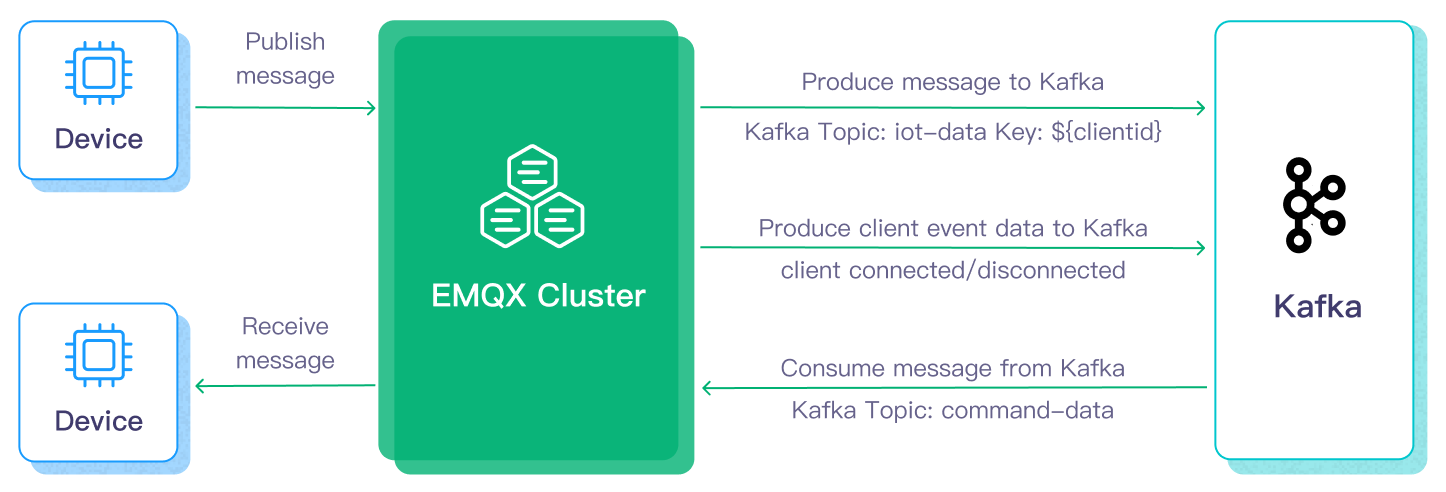
Kafka is built for high-throughput event streaming, but it wasn’t designed with edge IoT devices in mind — most IoT hardware can’t hold a stable, high-resource connection to a Kafka broker the way a backend service can. That’s the gap MQTT fills: a lightweight publish/subscribe protocol built for constrained devices and unreliable networks. EMQX is an open-source MQTT broker that speaks that lightweight protocol on one side and can hand data off to Kafka on the other, which is what makes it a practical bridge between “a sensor somewhere” and “a stream you can actually process.”
This post walks through building that bridge end to end: an EMQX broker running in Docker, a Python MQTT publisher and subscriber, a Kafka producer/consumer pair, and a final handoff into MongoDB for storage. Every code block below is code I actually ran to get this working.
Here’s the shape of what we’re building:
Setting up EMQX
Running the EMQX broker
Docker makes this a two-command job instead of a real install:
docker pull emqx/emqx
docker run -d --name emqx -p 1883:1883 -p 8083:8083 -p 8084:8084 -p 8883:8883 -p 18083:18083 emqx/emqx
The same image runs fine through Docker Desktop on Windows if that’s your setup.
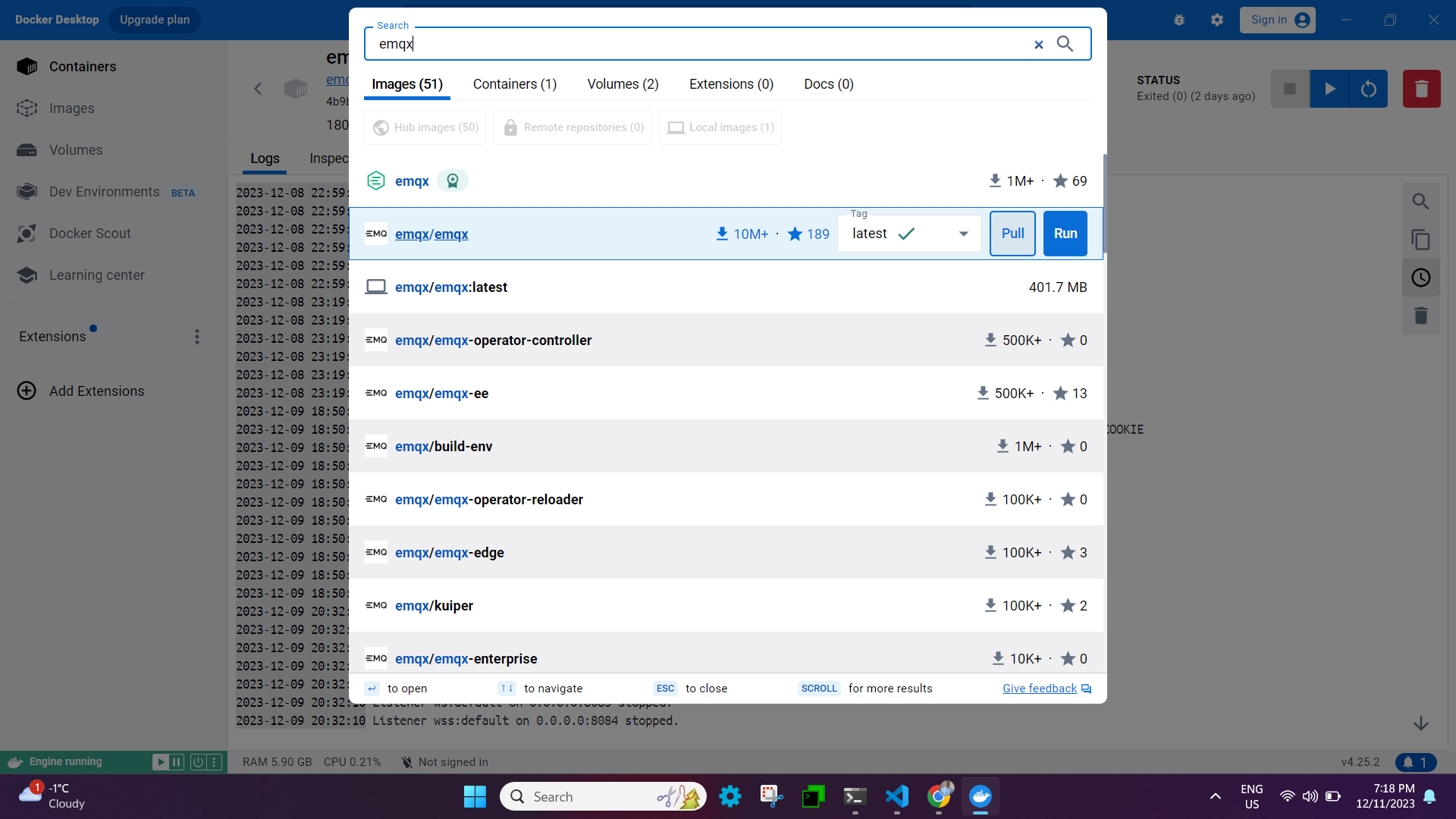
Once the container is up, the logs will show which ports each listener is bound to:
1883— plain TCP8883— TLS/SSL8083— WebSocket8084— secure WebSocket18083— the dashboard UI
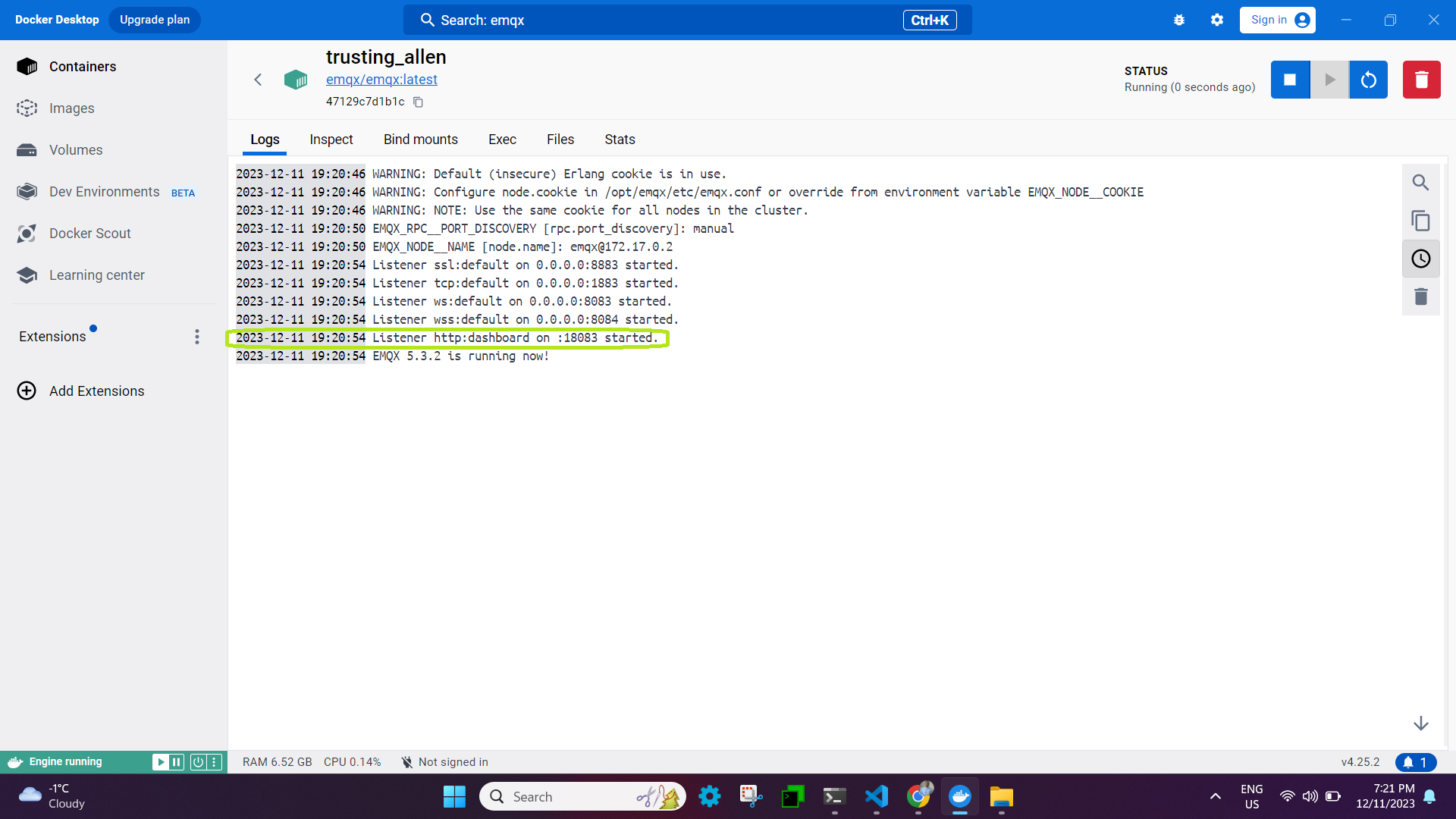
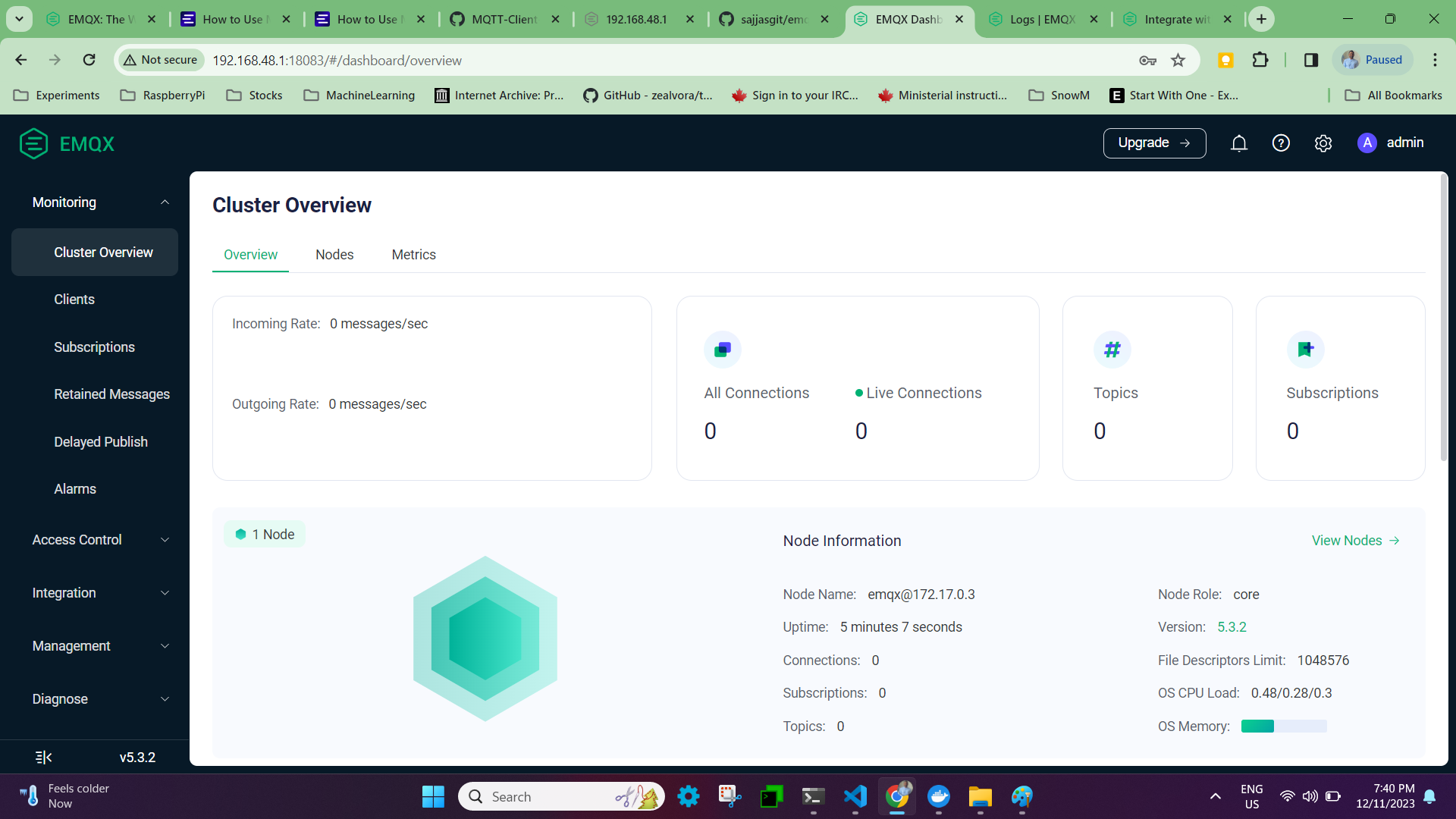
The dashboard is a web UI for managing the broker and watching connected devices in real time — open <your-ip>:18083 in a browser to reach it.
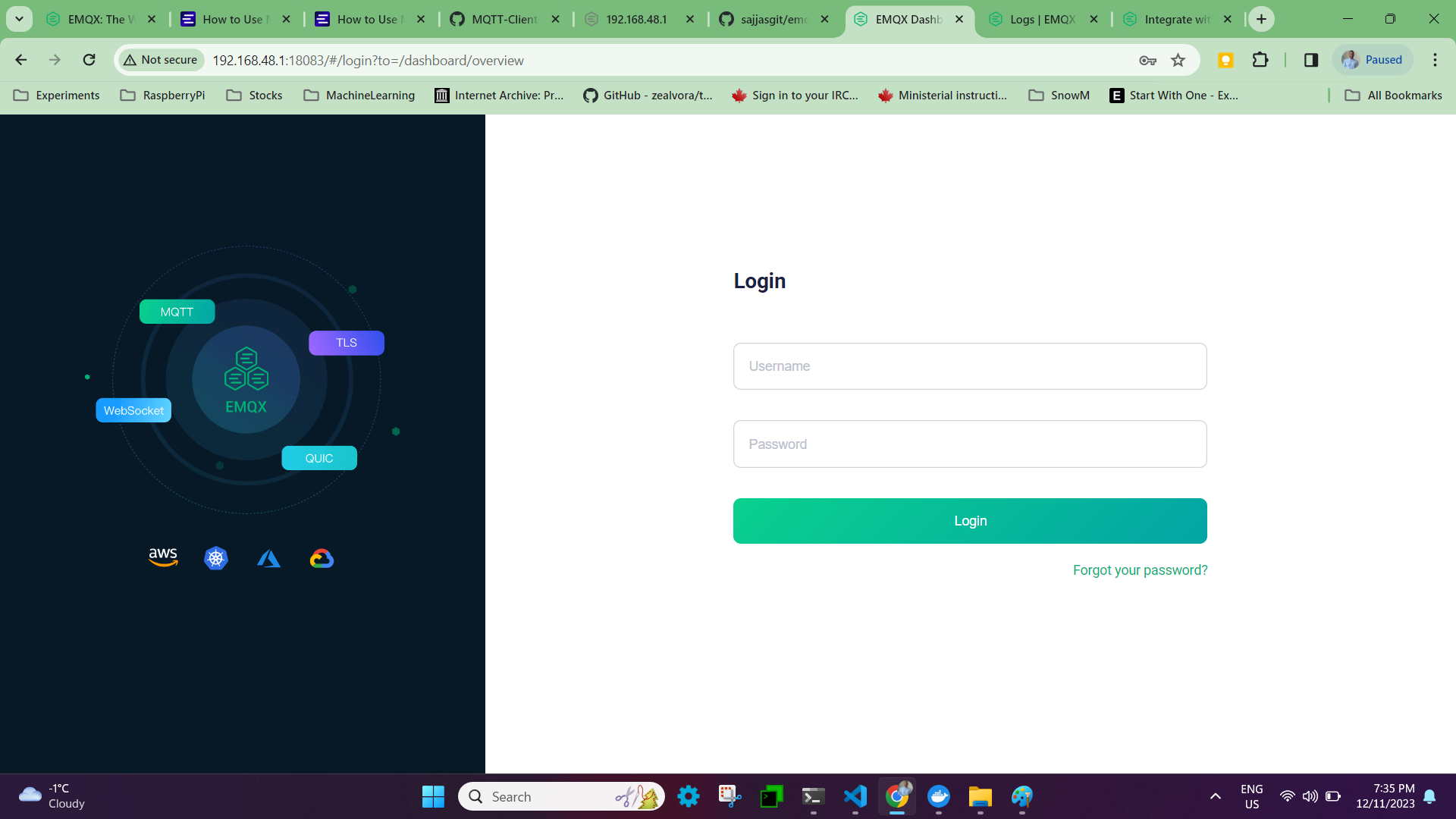
Default login is admin / public. EMQX forces a password reset on first login, and then you’re in.
Publishing and subscribing from Python
With the broker running, the next step is a publisher and a subscriber talking to it — both built with paho-mqtt, the standard Python MQTT client.
pip3 install paho-mqtt
Publisher (emqx-pub.py):
from paho.mqtt import client as mqtt_client
import random
import logging
import time

# MQTT connection settings
broker      = '192.168.48.1'
port        = 1883
topic       = "python/mqtt"
client_id   = f'python-mqtt-{random.randint(0, 1000)}'
username    = "admin"
password    = "public"

# reconnect backoff settings
FIRST_RECONNECT_DELAY   = 1
RECONNECT_RATE          = 2
MAX_RECONNECT_COUNT     = 12
MAX_RECONNECT_DELAY     = 60

def connect_mqtt():
    def on_connect(client, userdata, flags, rc):
        if rc == 0:
            print("Connected to MQTT Broker!")
        else:
            print("Failed to connect, return code %d\n", rc)

    def on_disconnect(client, userdata, rc):
        logging.info("Disconnected with result code: %s", rc)
        reconnect_count, reconnect_delay = 0, FIRST_RECONNECT_DELAY
        while reconnect_count < MAX_RECONNECT_COUNT:
            logging.info("Reconnecting in %d seconds...", reconnect_delay)
            time.sleep(reconnect_delay)

            try:
                client.reconnect()
                logging.info("Reconnected successfully!")
                return
            except Exception as err:
                logging.error("%s. Reconnect failed. Retrying...", err)

            reconnect_delay *= RECONNECT_RATE
            reconnect_delay = min(reconnect_delay, MAX_RECONNECT_DELAY)
            reconnect_count += 1
        logging.info("Reconnect failed after %s attempts. Exiting...", reconnect_count)

    client = mqtt_client.Client(client_id)
    client.username_pw_set(username, password)
    client.on_connect = on_connect
    client.connect(broker, port)
    client.on_disconnect = on_disconnect
    return client

def publish(client):
    msg_count = 1
    while True:
        time.sleep(1)
        msg = f"messages: {msg_count}"
        result = client.publish(topic, msg)
        status = result[0]
        if status == 0:
            print(f"Send `{msg}` to topic `{topic}`")
        else:
            print(f"Failed to send message to topic {topic}")
        msg_count += 1
        if msg_count > 5:
            break

def run():
    client = connect_mqtt()
    client.loop_start()
    publish(client)
    client.loop_forever()

if __name__ == "__main__":
    run()
Subscriber (emqx-sub.py):
import random
from paho.mqtt import client as mqtt_client

broker      = '192.168.48.1'
port        = 1883
topic       = "python/mqtt"
client_id   = f'subscribe-{random.randint(0, 1000)}'
username    = "admin"
password    = "public"

def connect_mqtt() -> mqtt_client:
    def on_connect(client, userdata, flags, rc):
        if rc == 0:
            print("Connected to MQTT Broker!")
        else:
            print("Failed to connect, return code %d\n", rc)

    client = mqtt_client.Client(client_id)
    client.username_pw_set(username, password)
    client.on_connect = on_connect
    client.connect(broker, port)
    return client

def subscribe(client: mqtt_client):
    def on_message(client, userdata, msg):
        print(f"Received `{msg.payload.decode()}` from `{msg.topic}` topic")

    client.subscribe(topic)
    client.on_message = on_message

def run():
    client = connect_mqtt()
    subscribe(client)
    client.loop_forever()

if __name__ == "__main__":
    run()
Two notes on these before moving on: the publisher only sends 5 messages before stopping (the msg_count > 5 check) — delete that block if you want it to run continuously. And the reconnect logic in the publisher isn’t decoration; MQTT clients on flaky networks disconnect constantly, and without a backoff-and-retry loop, a dropped connection just means silent data loss.
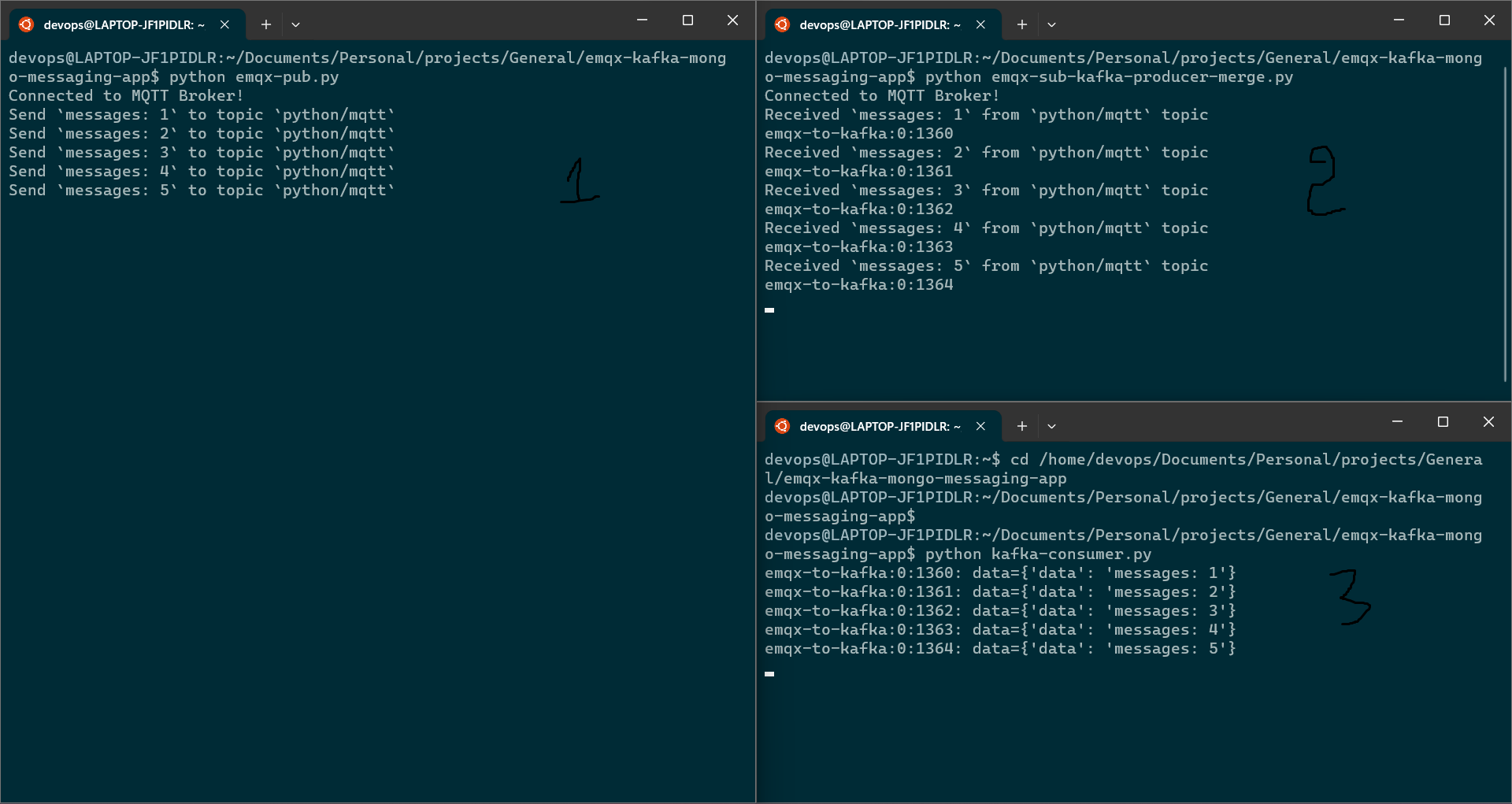
Run the subscriber first, then the publisher in a second terminal:
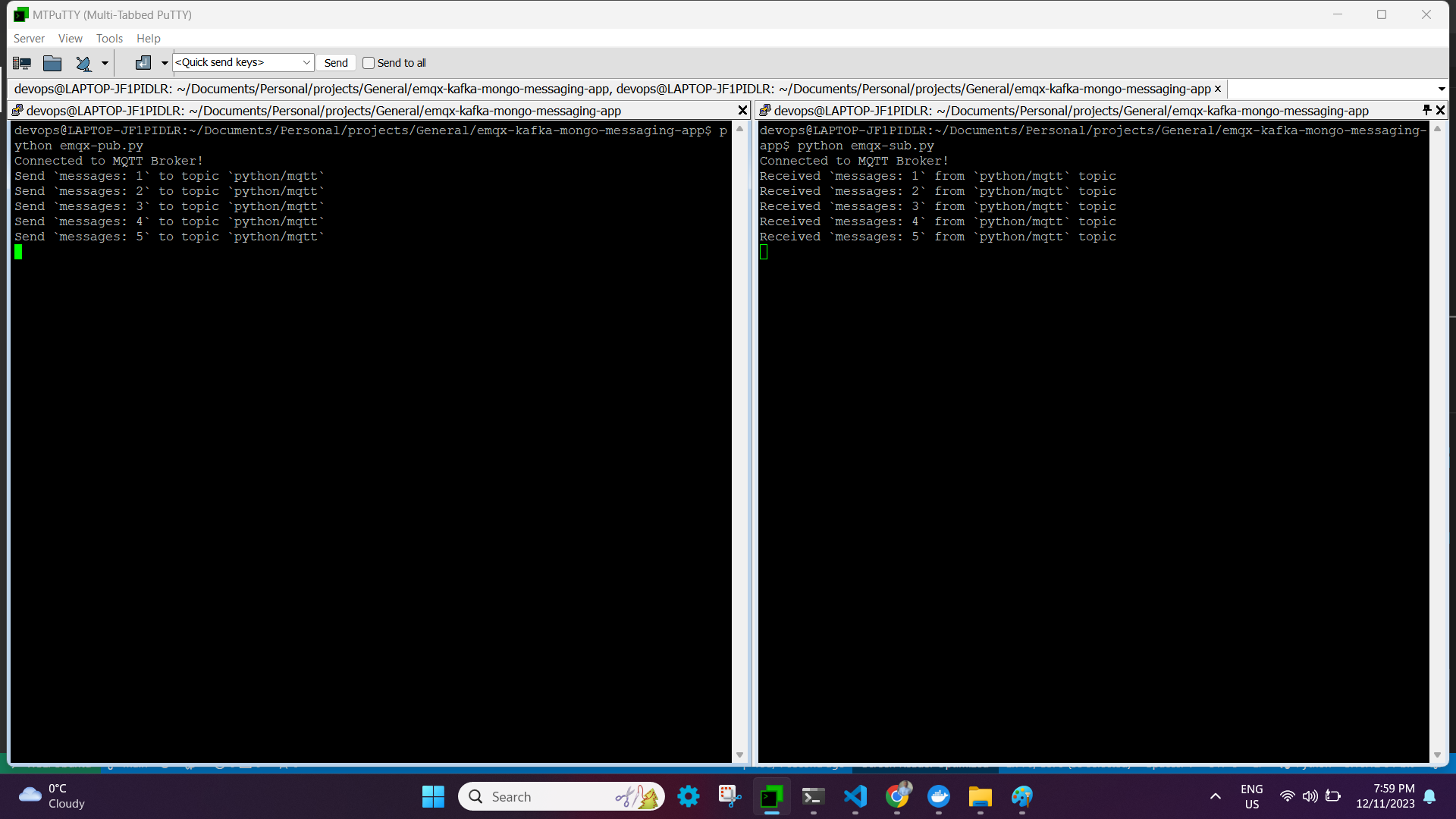
That’s EMQX working end to end: a broker, a publisher, and a subscriber, all talking over MQTT.
Setting up Kafka
This part assumes Ubuntu. Kafka runs on the JVM, so start with Java:
sudo apt update
sudo apt install default-jdk
java --version
openjdk 17.0.9 2023-10-17
OpenJDK Runtime Environment (build 17.0.9+9-Ubuntu-122.04)
OpenJDK 64-Bit Server VM (build 17.0.9+9-Ubuntu-122.04, mixed mode, sharing)
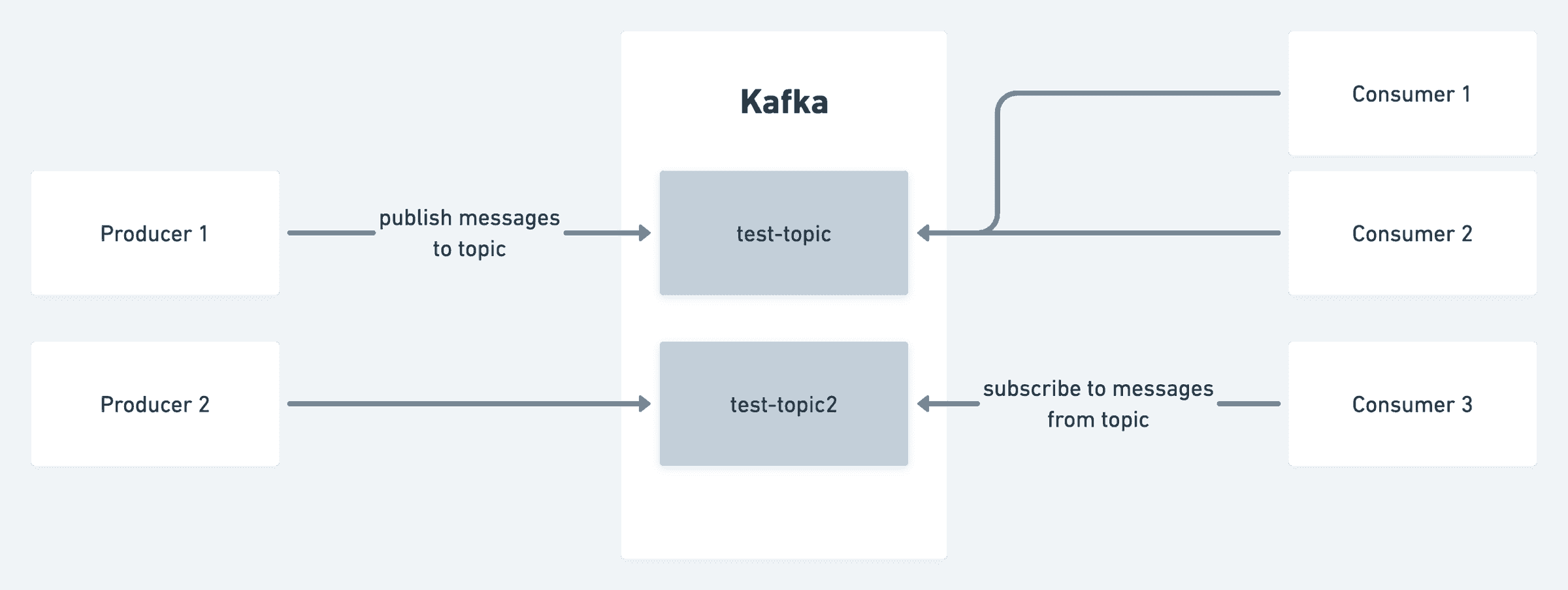
A quick mental model before installing it: Kafka organizes data into topics, which producers write to and consumers read from — the same publish/subscribe idea as MQTT, just built for much higher throughput and long-term retention rather than lightweight device messaging. (There’s more to the full picture — Zookeeper, consumer groups, partitions — but that’s a separate post.)
Download and extract Kafka:
wget https://dlcdn.apache.org/kafka/3.6.1/kafka_2.13-3.6.1.tgz
tar -xzf kafka_2.13-3.6.1.tgz
sudo mv kafka_2.13-3.6.1 /usr/local/kafka
Running Kafka as a systemd service
Rather than starting Kafka manually from /usr/local/kafka/bin every time, set it up as a proper service. This example uses Zookeeper rather than KRaft mode.
/etc/systemd/system/zookeeper.service:
[Unit]
Description=Apache Zookeeper server
Documentation=http://zookeeper.apache.org
Requires=network.target remote-fs.target
After=network.target remote-fs.target

[Service]
Type=simple
ExecStart=/usr/local/kafka/bin/zookeeper-server-start.sh /usr/local/kafka/config/zookeeper.properties
ExecStop=/usr/local/kafka/bin/zookeeper-server-stop.sh
Restart=on-abnormal

[Install]
WantedBy=multi-user.target
/etc/systemd/system/kafka.service:
[Unit]
Description=Apache Kafka Server
Documentation=http://kafka.apache.org/documentation.html
Requires=zookeeper.service

[Service]
Type=simple
Environment="JAVA_HOME=/usr/lib/jvm/java-1.17.0-openjdk-amd64"
ExecStart=/usr/local/kafka/bin/kafka-server-start.sh /usr/local/kafka/config/server.properties
ExecStop=/usr/local/kafka/bin/kafka-server-stop.sh

[Install]
WantedBy=multi-user.target
Reload systemd and start both services, Zookeeper first:
sudo systemctl daemon-reload
sudo systemctl start zookeeper
sudo systemctl start kafka
sudo systemctl status kafka
● kafka.service - Apache Kafka Server
   Loaded: loaded (/etc/systemd/system/kafka.service; disabled; vendor preset: enabled)
   Active: active (running) since Tue 2023-12-12 13:41:12 EST; 6s ago
     Docs: http://kafka.apache.org/documentation.html
 Main PID: 50201 (java)
   Tasks: 83 (limit: 9396)
   Memory: 315.5M

Dec 12 13:41:17 kafka-server-start.sh[50201]: INFO [SocketServer listenerType=ZK_BROKER, nodeId=0] Enabling request processing.
Dec 12 13:41:17 kafka-server-start.sh[50201]: INFO Awaiting socket connections on 0.0.0.0:9092.
Dec 12 13:41:17 kafka-server-start.sh[50201]: INFO Kafka version: 3.6.1
Dec 12 13:41:17 kafka-server-start.sh[50201]: INFO [KafkaServer id=0] started (kafka.server.KafkaServer)
Creating and using a topic
cd /usr/local/kafka
bin/kafka-topics.sh --create --bootstrap-server localhost:9092 --replication-factor 1 --partitions 1 --topic emqx-to-kafka
Created topic emqx-to-kafka.
List topics:
bin/kafka-topics.sh --list --bootstrap-server localhost:9092
emqx-to-kafka
Inspect a topic’s partition/replica details:
bin/kafka-topics.sh --describe --topic emqx-to-kafka --bootstrap-server localhost:9092
Topic: emqx-to-kafka    TopicId: BPDpQiOvQ2WDGWPn45d99w    PartitionCount: 1    ReplicationFactor: 1
        Partition: 0    Leader: 0    Replicas: 0    Isr: 0
With a single broker, keep replication factor at 1 — set partition count based on how many consumers you want reading in parallel.
Producing and consuming from the CLI
Write a few events by hand first, just to confirm the topic works before wiring in code:
bin/kafka-console-producer.sh --topic emqx-to-kafka --bootstrap-server localhost:9092
>First kafka producer message
>Second Kafka producer message
Ctrl-C ends the producer session. Then read them back from a second terminal:
bin/kafka-console-consumer.sh --topic emqx-to-kafka --from-beginning --bootstrap-server localhost:9092
First kafka producer message
Second Kafka producer message
--from-beginning is doing real work there — without it, the consumer only sees new messages from the point it connects. That --offset earliest/--offset latest choice matters in production too: latest (the default) skips anything the consumer wasn’t running to catch, while earliest replays from the start of what Kafka has retained. If a consumer restarts after an outage and you’re on latest, you’ll quietly miss everything that arrived while it was down.
Producing and consuming from Python
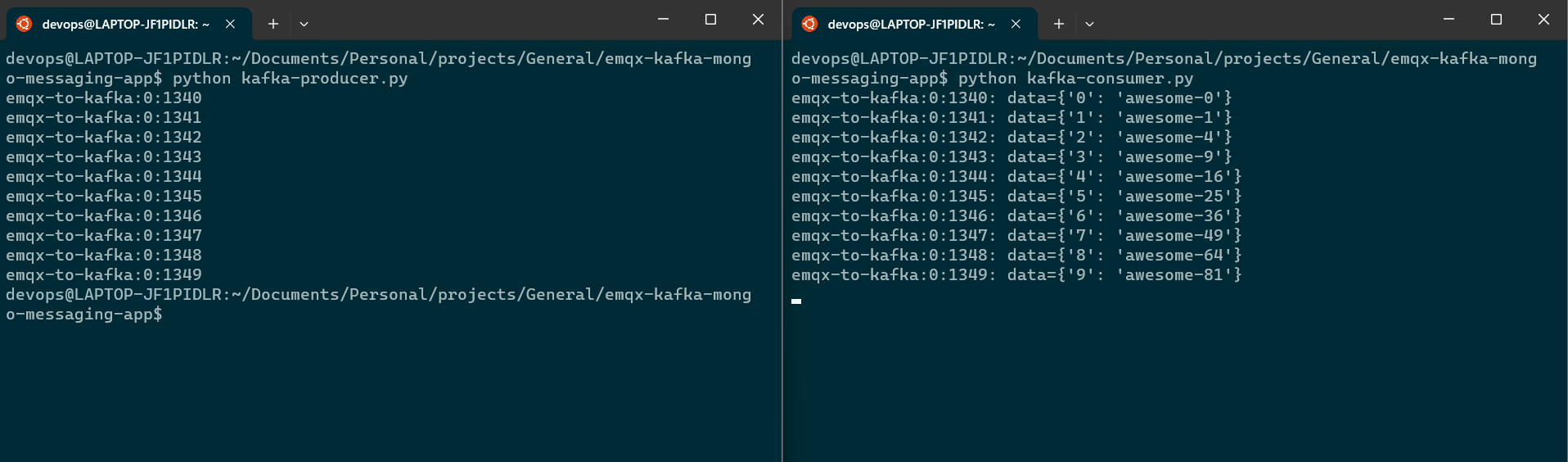
CLI tools are fine for a sanity check, but a real pipeline needs code. Here’s a producer using kafka-python:
import json
from logging import log
from kafka import KafkaProducer
from kafka.errors import KafkaError

producer = KafkaProducer(
    bootstrap_servers=['localhost:9092'],
    retries=5,
    value_serializer=lambda m: json.dumps(m).encode('ascii'),
)

def on_send_success(record_metadata):
    print("%s:%d:%d" % (record_metadata.topic, record_metadata.partition, record_metadata.offset))

def on_send_error(excp):
    log.error('Send failed', exc_info=excp)

for item in range(10):
    producer.send('emqx-to-kafka', {item: 'awesome-' + str(item**2)}) \
        .add_callback(on_send_success) \
        .add_errback(on_send_error)

producer.flush()
And a matching consumer:
import json
from kafka import KafkaConsumer

consumer = KafkaConsumer(
    bootstrap_servers='localhost:9092',
    auto_offset_reset='latest',
    enable_auto_commit=True,
    consumer_timeout_ms=1000,
    value_deserializer=lambda m: json.loads(m.decode('ascii')),
)

consumer.subscribe(pattern='^emqx.*')

while True:
    for message in consumer:
        print("%s:%d:%d: data=%s" % (message.topic, message.partition, message.offset, message.value))
Connecting EMQX to Kafka
Now for the actual bridge: take the subscriber logic from earlier and, instead of just printing incoming MQTT messages, forward each one straight into the Kafka producer.
import random
import json
from logging import log
from kafka import KafkaProducer
from kafka.errors import KafkaError
from paho.mqtt import client as mqtt_client

broker      = '192.168.48.1'
port        = 1883
topic       = "python/mqtt"
client_id   = f'subscribe-{random.randint(0, 1000)}'
username    = "admin"
password    = "public"

producer = KafkaProducer(
    bootstrap_servers=['localhost:9092'],
    retries=5,
    value_serializer=lambda m: json.dumps(m).encode('ascii'),
)

def on_send_success(record_metadata):
    print("%s:%d:%d" % (record_metadata.topic, record_metadata.partition, record_metadata.offset))

def on_send_error(excp):
    log.error('Send failed', exc_info=excp)

def connect_mqtt() -> mqtt_client:
    def on_connect(client, userdata, flags, rc):
        if rc == 0:
            print("Connected to MQTT Broker!")
        else:
            print("Failed to connect, return code %d\n", rc)

    client = mqtt_client.Client(client_id)
    client.username_pw_set(username, password)
    client.on_connect = on_connect
    client.connect(broker, port)
    return client

def subscribe(client: mqtt_client):
    def on_message(client, userdata, msg):
        print(f"Received `{msg.payload.decode()}` from `{msg.topic}` topic")
        producer.send('emqx-to-kafka', {"data": msg.payload.decode()}) \
            .add_callback(on_send_success) \
            .add_errback(on_send_error)
        producer.flush()

    client.subscribe(topic)
    client.on_message = on_message

def run():
    client = connect_mqtt()
    subscribe(client)
    client.loop_forever()

if __name__ == "__main__":
    run()
The only real change from the plain MQTT subscriber is inside on_message: instead of just printing the payload, it hands that payload to the Kafka producer. In a real deployment, that MQTT subscriber runs close to (or embedded in) the IoT devices, and the Kafka producer side runs wherever your data platform lives — that’s the actual “bridge” this whole setup exists to build.
Storing the stream in MongoDB
The last piece: land the Kafka consumer’s output somewhere durable. MongoDB Atlas has a free tier that’s more than enough to get started, with no billing setup required.
A small handler that inserts a document into a collection:
from pymongo import MongoClient

def mongo_insert_handler(doc):
    uri = "mongodb+srv://<username>:<password>@<mongo-endpoint>/?retryWrites=true&w=majority"
    collection_name = "incoming"

    try:
        client = MongoClient(uri)
    except Exception as e:
        print(e)
        return

    db = client["emqx-kafka-mongo-app"]
    collection = db[collection_name]

    try:
        print(f"Inserting document: {doc}")
        collection.insert_one(doc)
        print("Document inserted!")
    except Exception as e:
        print(e)
Wire it into the Kafka consumer so every message that arrives gets written straight to Mongo:
import json
from kafka import KafkaConsumer
from mongo_handler import mongo_insert_handler

consumer = KafkaConsumer(
    bootstrap_servers='localhost:9092',
    auto_offset_reset='latest',
    enable_auto_commit=True,
    consumer_timeout_ms=1000,
    value_deserializer=lambda m: json.loads(m.decode('ascii')),
)

consumer.subscribe(pattern='^emqx.*')

while True:
    for message in consumer:
        print("%s:%d:%d: data=%s" % (message.topic, message.partition, message.offset, message.value))
        document = {
            "topic": message.topic,
            "partition": message.partition,
            "offset": message.offset,
            "value": message.value,
        }
        mongo_insert_handler(document)
The only addition to the earlier consumer is the last two lines of the loop — build a document from the message metadata, hand it to the Mongo handler.
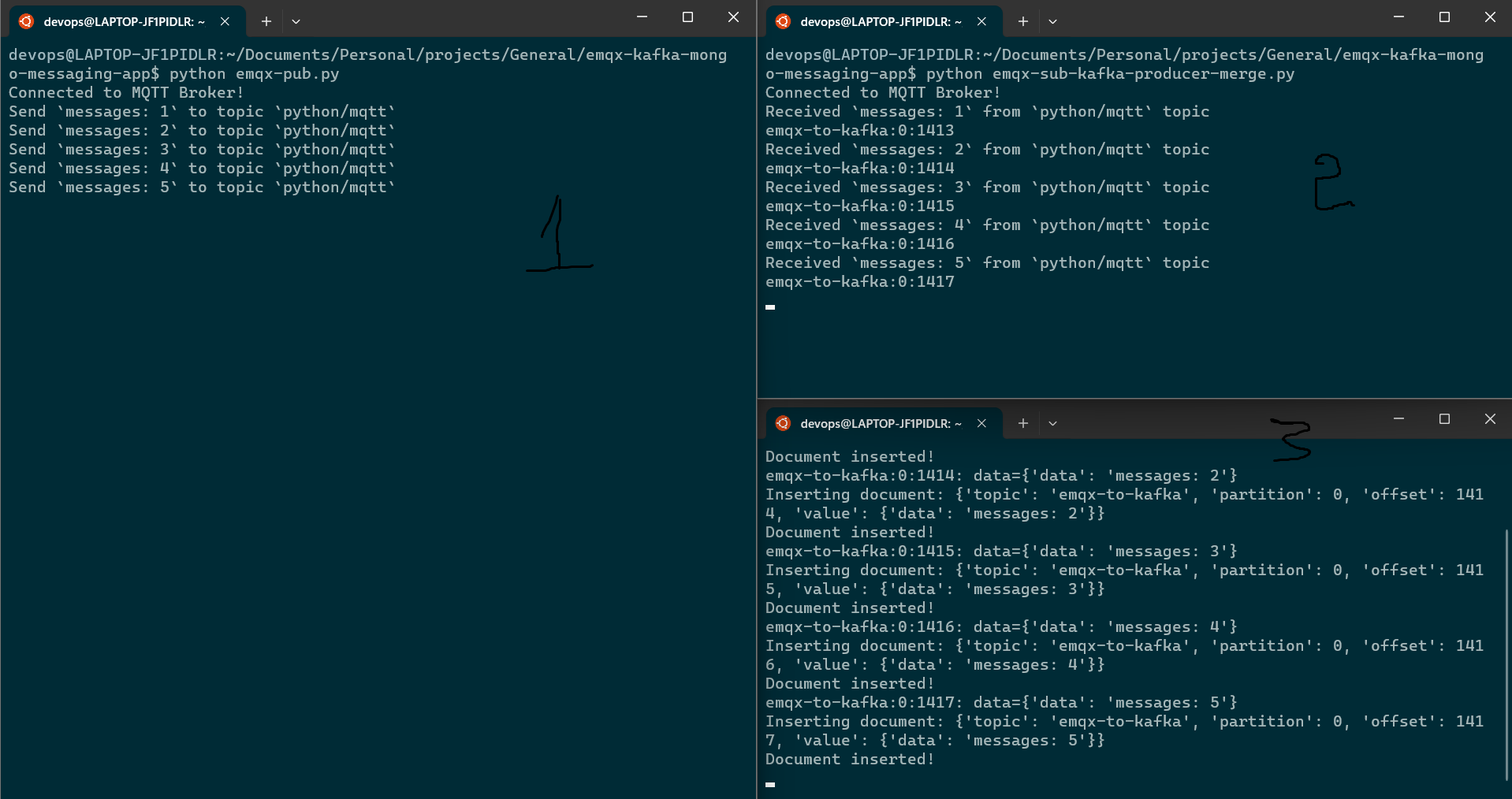
And confirming it from the Atlas console:
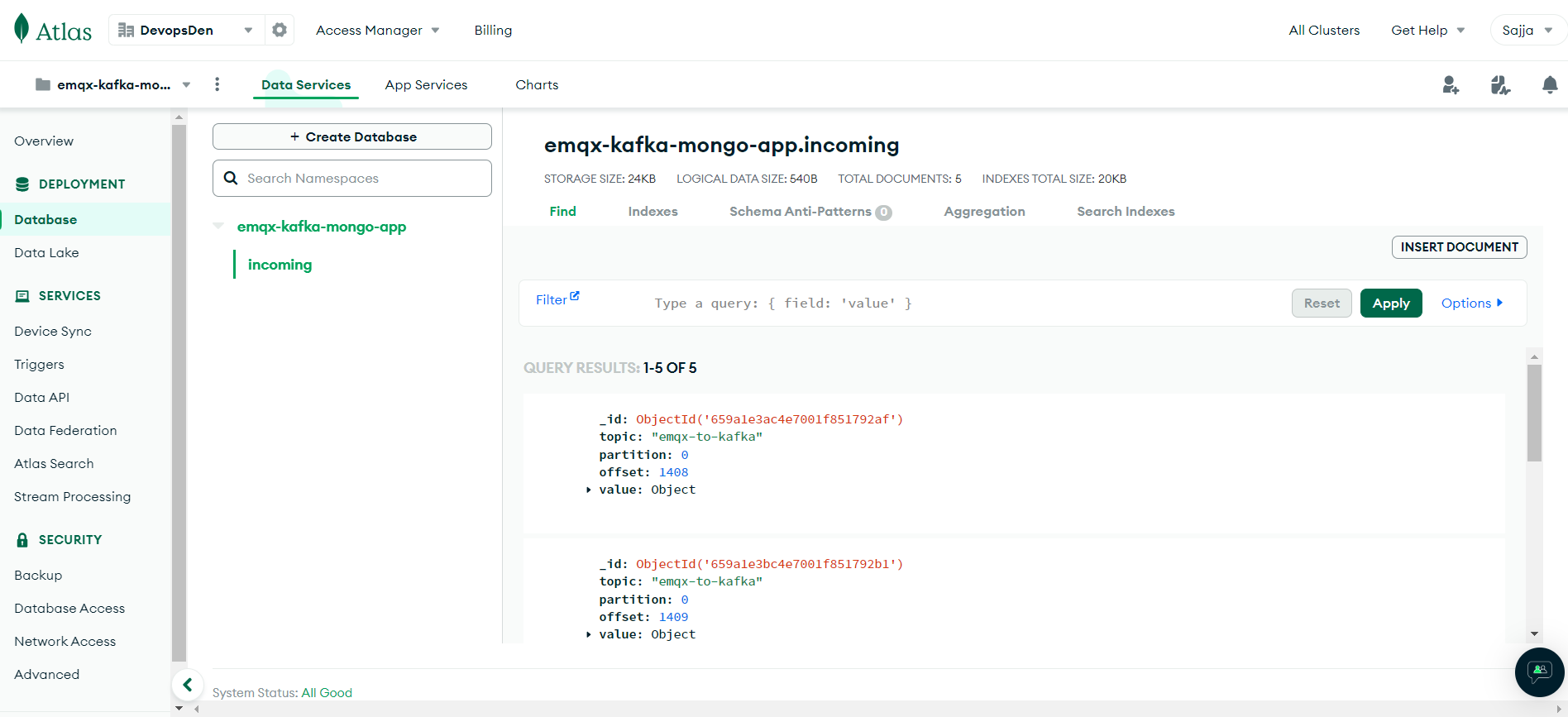
Putting it together
End to end, the pipeline looks like this: an IoT device publishes over MQTT → EMQX receives it → a Python subscriber forwards it into Kafka → a Python consumer reads it back out of Kafka → each message lands as a document in MongoDB.
None of the individual pieces here are exotic — MQTT client, Kafka producer/consumer, a Mongo insert — but wiring them together is what turns “a sensor sending readings” into something a real data platform can actually consume, store, and query later. From here, the natural next steps are batching the Mongo writes instead of inserting one document at a time, adding schema validation before data lands in Mongo, and — since none of this is fault-tolerant yet — applying the offset-commit strategies from Kafka’s consumer API to make sure a crash mid-stream doesn’t silently drop readings.